Model CIA Tutorial
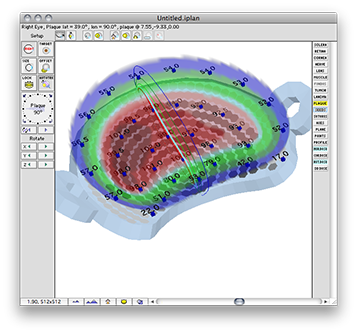
Plaque Simulator's patch source (PDF) model of the BEBIG Ru-106 plaques requires a number of ad hoc calibration factors derived from measurements. All of the required measurements are provided in the data sheets that come with your plaque. To use your BEBIG Ru-106 plaque with Plaque Simulator you will need to:
Note: For a small fee, Eye Physics, LLC will create a calibrated, professionally optimized, PS file for your BEBIG plaque. Contact us by email or phone to arrange a purchase order and send us a .pdf file containing your plaque calibration certificate and both protocol sheets. We will prepare a calibrated .iplq file for and return it to you as a zip compressed email attachment. Then you just expand the attachment and drag the file into your PS plaques folder. No additional software beyond Mac OSX is required.
|
|
|